A pre-warmed account can help you start faster. It does not make a bad outbound system safe.
The mailbox may have history, but the campaign still depends on domain ownership, SPF, DKIM, DMARC, mailbox limits, clean contacts, reply handling, bounce control, and a sending tool that can ramp without turning every inbox into a disposable asset.
That is why the better buying question is not “which provider sells warm inboxes?” It is “which provider gives me the right operating model for the way I plan to send?”
This image shows the Best pre-warmed email account providers by operating model
Best pre-warmed email account providers by operating model
Mailforge is the strongest fit for teams that want owned domains, shared cold email infrastructure, automated DNS, hosted mailbox slots, maintenance, and a clean path into Salesforge.
Infraforge is the best fit once shared infrastructure is not enough and the team needs private infrastructure, dedicated IPs, API access, workspace control, and higher-scale operations.
Primeforge is the best fit when Google Workspace or Microsoft 365 mailbox identity is the requirement before connecting accounts to Salesforge or another sending platform.
Instantly is the strongest competitor fit when the buyer wants pre-warmed accounts inside the same platform used for campaign execution and accepts platform-controlled domains and admin access.
Zapmail fits teams that want dashboard-delivered Google or Microsoft pre-warmed packs with stated warmup history and clear pack sizes.
Mailscale works for low-cost rented generic inboxes when the campaign is a short message-market fit test and long-term domain ownership does not matter.
Warm Inboxes is useful when buyers want support, low-entry packs, and Google, Microsoft, or Azure inbox options.
Maildoso fits teams that do not only need accounts. They need contacts, campaign setup, warmed mailboxes, and execution packaged together.
Disclaimer: Pre-warmed inboxes do not guarantee inbox placement, deliverability, or compliance. Cold email results depend on sender reputation, domain history, DNS setup, list quality, message relevance, opt-out handling, and local email laws. Always verify provider terms, ownership rights, refund policy, and sending limits before buying.
What buyers actually want from pre-warmed accounts
The search intent is practical. Buyers do not want a theoretical deliverability lecture. They want accounts that can move them closer to live sending without making the infrastructure weaker.
There are four common buyer modes:
The RevOps buyer wants infrastructure that can scale across domains, inboxes, campaigns, and reply flows without creating hidden ownership risk.
The agency buyer wants repeatable setup for client campaigns, cleaner domain separation, and a way to avoid rebuilding DNS manually every week.
The founder testing a market wants fast inboxes and may accept rented domains if the campaign is temporary.
The non-operator wants someone else to handle contacts, copy, campaign setup, inboxes, and reporting.
How I evaluated pre-warmed email account providers
I evaluated these providers by whether they help an outbound team start faster without hiding the risks that usually show up after the first campaign: account ownership, ramp limits, sender reputation, cancellation terms, and who controls the infrastructure.
A good provider gives the operator enough access, proof, and constraints to keep sending after the first week.
Launch readiness: Are SPF, DKIM, DMARC, MX, forwarding, mailbox access, and import/export paths handled before campaigns start?
Ownership and portability: Does the buyer own the domains and mailboxes, rent generic inboxes, or stay locked inside one sending platform?
Ramp and sending limits: Does the provider give concrete sending guidance and make it clear that warm inboxes still need gradual campaign ramping?
Deliverability proof: Does the provider offer inbox placement testing, blacklist checks, health scoring, replacement terms, or documented warmup history beyond broad claims?
Operating fit and cost: Is the pricing model better for a founder testing inboxes, an agency managing client domains, a high-volume sender, or a team that wants accounts bundled with the campaign tool?
Pre-warmed email account providers compared
Provider
Mailbox Model
Domain Control
Best Buyer
Best Use Case
Main Risk to Verify
Mailforge
Shared cold email infrastructure
Owned domains
RevOps, agencies, Salesforge teams
Domains, mailbox slots, DNS, hosting, and maintenance before campaigns
Shared IP pool fit and ramp discipline
Infraforge
Private infrastructure and dedicated IPs
Owned domains
High-volume teams, agencies
Private setup, API access, dedicated IPs, workspace control
IP warmup and infrastructure add-on economics
Primeforge
Google Workspace / Microsoft 365
Owned domains
RevOps, agencies
Mainstream mailbox infrastructure before Salesforge campaigns
Tenant control and ramping
Instantly
Pre-warmed accounts inside sending platform
Platform-controlled
Instantly users, founders
One workflow for accounts and campaigns
Domain/admin lock-in
Zapmail
Google/Microsoft pre-warmed packs
Limited for pre-warmed domains
Founders, small teams
Dashboard-delivered packs with warmup history
Custom-domain limitations and refund terms
Mailscale
Rented generic inboxes
Provider-controlled
Founders testing offers
Low-cost short tests
Rental model and lack of long-term ownership
Warm Inboxes
Google/Microsoft/Azure inboxes
Claims admin access; verify terms
Founders, agencies
Supported low-entry packs and provider choice
No-refund policy and ownership clarity
Maildoso
Done-for-you warmed mailboxes plus campaigns
Service bundle
Teams without operators
Contacts, setup, warmed mailboxes, and campaign execution
Cost and reduced operational control
The best pre-warmed email account providers
1. Mailforge: Best for shared cold email infrastructure before Salesforge campaigns
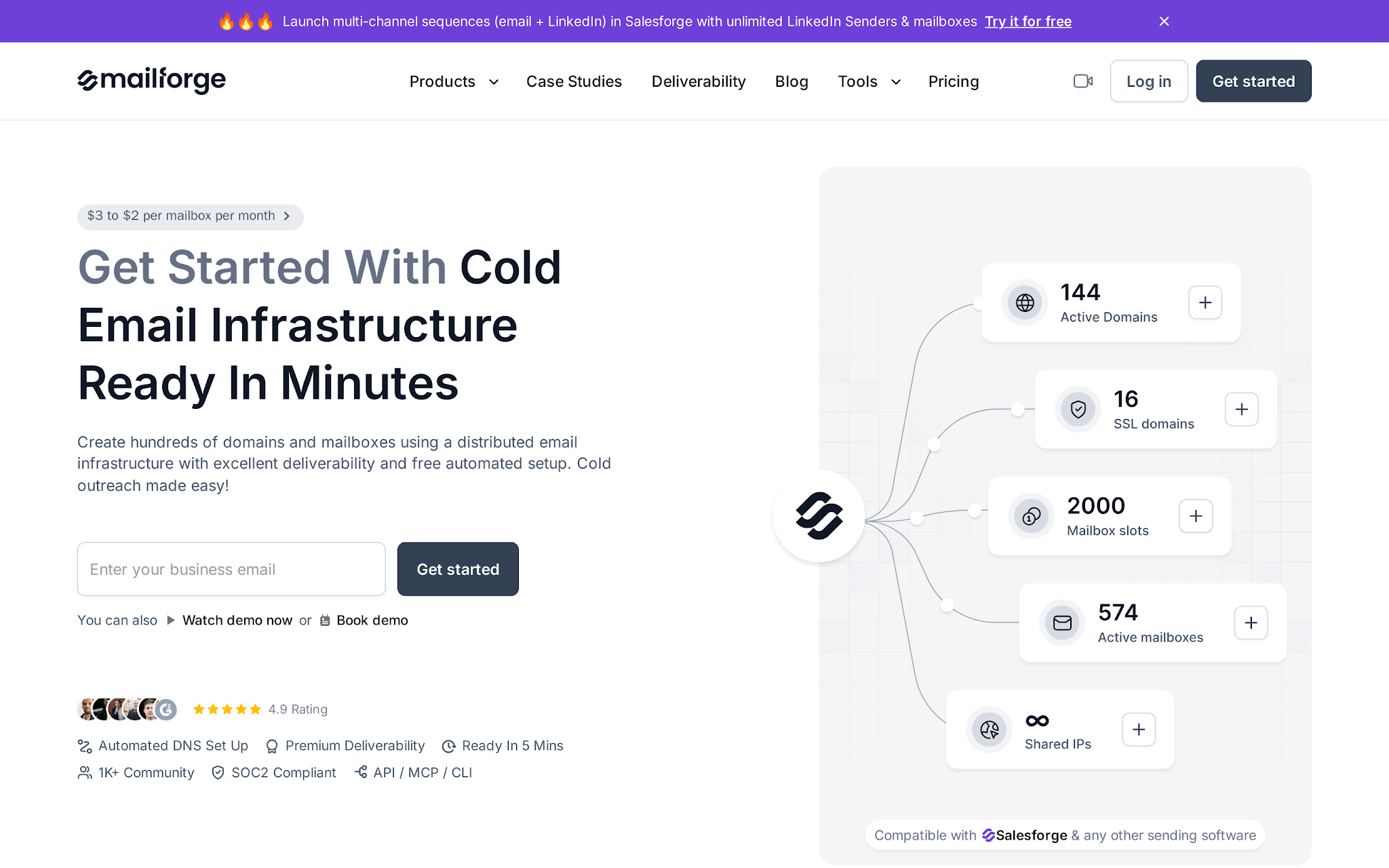
This image shows the Mailforge homepage for shared cold email infrastructure
I would shortlist Mailforge when the buyer wants pre-warmed email accounts without spending days stitching together domains, DNS, inbox hosting, forwarding, and sender connections.
The practical question is not “Can I buy an inbox?” It is “Can I get clean sending capacity live without breaking authentication or overloading one domain?”
Mailforge is strongest when shared infrastructure is enough. It handles domain and mailbox setup, keeps the infrastructure separate from the campaign layer, and gives teams a faster path into Salesforge without manually building Google or Microsoft tenants.
The detail I would watch is capacity. Mailforge points teams toward 2-3 mailboxes per domain and 30 emails per mailbox per day, with 100 as the stated maximum. That is the right instinct: spread volume, isolate risk, and scale by adding infrastructure.
Key features
Shared cold email infrastructure for outbound teams
Automated SPF, DKIM, DMARC, and custom tracking-domain setup for cold email domains
Domain and mailbox setup designed for outbound teams that need capacity in minutes, not a manual DNS project
Mailbox slot model that lets teams replace mailboxes without paying only for the currently active inbox count
Inbox hosting and ongoing mailbox maintenance included in the subscription
SSL and domain masking add-on for teams that care about branded redirects and safer tracking-domain setup
Works with Salesforge and other sending tools when the team wants infrastructure separated from campaign execution
Pricing
Mailforge uses a slot-based pricing model with a minimum of 10 mailbox slots. A 25-slot setup costs approximately $60/month when billed annually or $75/month on monthly billing.
Additional costs include .com domains at around $14/year and SSL plus domain masking at approximately $2/domain/month or $6/domain/year.
Total costs scale based on the number of mailbox slots, domains, and infrastructure add-ons required.
Pros
Stronger operating base than Mailscale when domain control matters.
Cleaner setup than Instantly if you do not want accounts locked inside one sending platform.
Less overhead than Primeforge when shared cold email infrastructure is enough.
Easier to justify than Infraforge when you need fast setup before dedicated IP control.
Clean role in the stack: Mailforge handles shared outbound infrastructure while the sending tool runs campaigns.
Cons
Mailforge uses a shared IP pool, so it is not the right fit when a team specifically needs dedicated IP control or private infrastructure isolation.
The 10-slot minimum means a founder who only wants one or two test inboxes may find a small rental pack cheaper.
Shared infrastructure still needs list hygiene. If spam complaints are likely, the safer move is not to push volume; it is to fix targeting, offer relevance, and mailbox health before scaling.
It does not replace sending discipline. Operators still need conservative ramping, clean contacts, reply monitoring, and warmup checks before increasing volume.
Teams that must send through Google Workspace or Microsoft 365 accounts should evaluate Primeforge instead of treating Mailforge as the same mailbox type.
Use Mailforge when
You want domains, mailbox slots, authentication, hosting, and maintenance handled before Salesforge starts sending.
You need a shared-infrastructure setup that is faster than building Google or Microsoft tenants manually.
You want a practical path from infrastructure setup into Salesforge campaign execution.
Avoid Mailforge when
Dedicated private infrastructure is the buying requirement.
Native Google Workspace or Microsoft 365 mailbox procurement is non-negotiable.
If Salesforge is already the campaign layer, Mailforge is the shared-infrastructure option to evaluate first. Still compare it against rented packs if this is only a short test.
Personalized Outbound Strategy
Get The Right Outbound Strategy In Minutes
Enter your email to get a custom plan & stack recommendation for your
business
It's being carefully crafted by AI
Please check your mailbox in 5 minutes
2. Infraforge: Best for private cold email infrastructure and high-volume operators
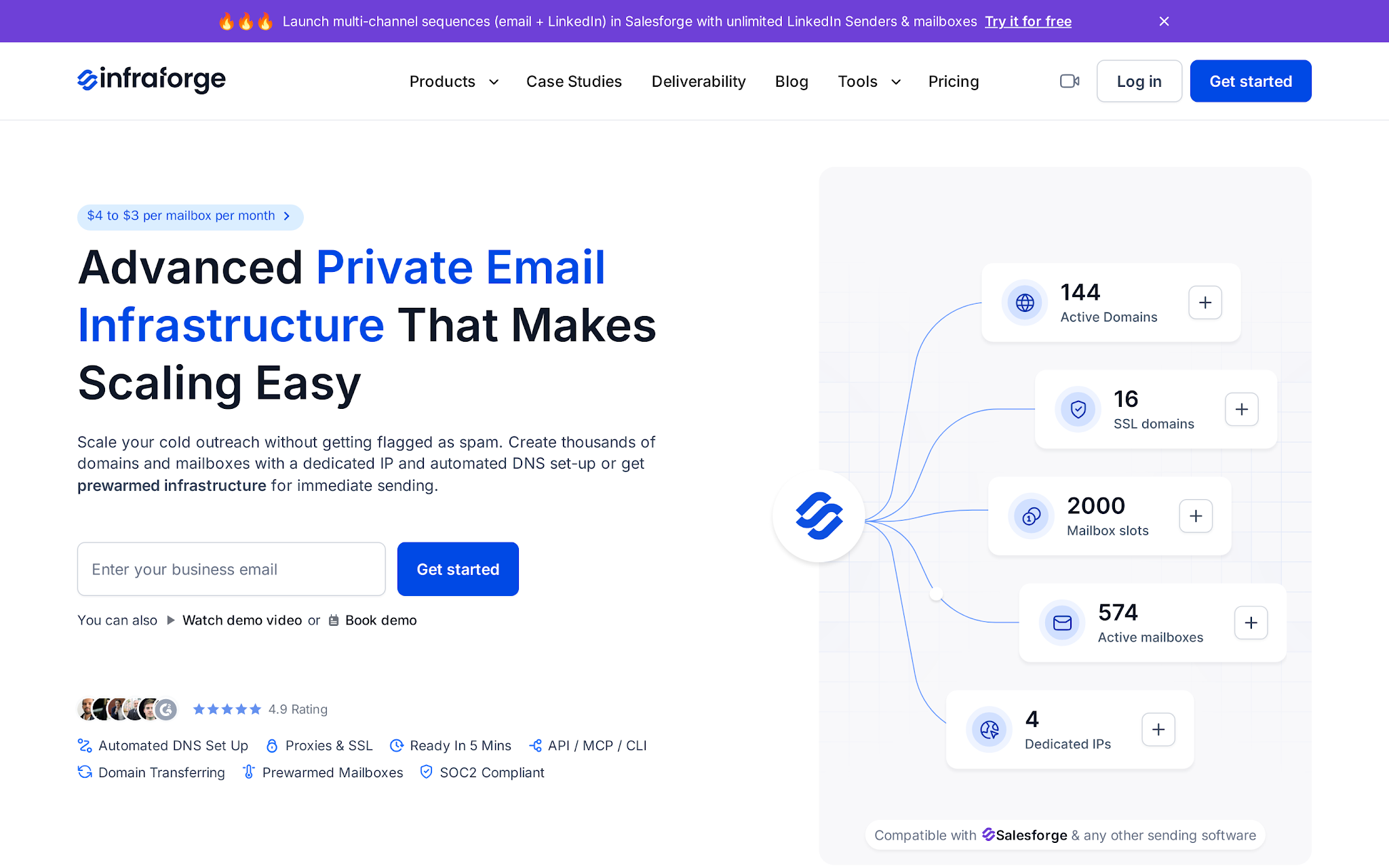
This image shows the Infraforge homepage for private cold email infrastructure
I would move from Mailforge to Infraforge when shared infrastructure is no longer enough. This is the private-infrastructure path for operators who need domains, mailboxes, DNS authentication, hosting, dedicated IPs, API access, and tighter control.
A rented warm inbox may get a test moving. Infraforge is for teams that want the sending layer to stay usable after the first campaign, especially across many domains, client workspaces, dedicated IPs, or higher monthly volume.
Key features
Private cold email infrastructure for outbound teams
Dedicated IP model for cold outreach infrastructure
Automated SPF, DKIM, and DMARC setup for new domains
Domain and mailbox management with buyer-side domain control
Inbox hosting and ongoing mailbox maintenance included in subscription pricing
Access to the Infraforge API for teams automating mailbox and domain operations
Built-in fit with Salesforge and other sending tools when the campaign layer is separate from infrastructure
Pricing
Infraforge prices mailbox slots at $4/month on annual billing, with a minimum of 10 slots. A 25-slot setup comes to $83/month annually, .com domains are $14/year, SSL and domain masking costs $2/domain/month quarterly or $6/domain/year annually, IP addresses are $99/month, and Masterbox is $7/workspace/month annually.
The price makes sense when dedicated IP control and private infrastructure reduce operational risk.
Pros
Control-first setup instead of rented generic inboxes.
More portable than Instantly’s platform-bound account model.
Better for RevOps teams than Maildoso if they want to own infrastructure instead of outsourcing the campaign.
Stronger than Mailforge when dedicated IPs, API access, and private infrastructure matter.
Cons
Infraforge is heavy for a founder who wants five inboxes by tomorrow; rented packs from Mailscale or Zapmail may feel faster.
The pricing model is slot- and infrastructure-led, so buyers looking only for a pre-warmed-account checkout need to understand domains, mailbox slots, and add-ons before they compare costs.
Private infrastructure still needs ramping, warmup, placement checks, and clean contact data. Dedicated setup does not make poor lists safe.
Use Infraforge when
Private infrastructure, dedicated IP control, API access, and higher-scale operations matter more than the cheapest inbox.
Avoid Infraforge when
You only need throwaway inboxes for a two-week test.
You want the simplest possible account checkout with no infrastructure decisions.
3. Primeforge: Best for Google Workspace and Microsoft 365 mailboxes
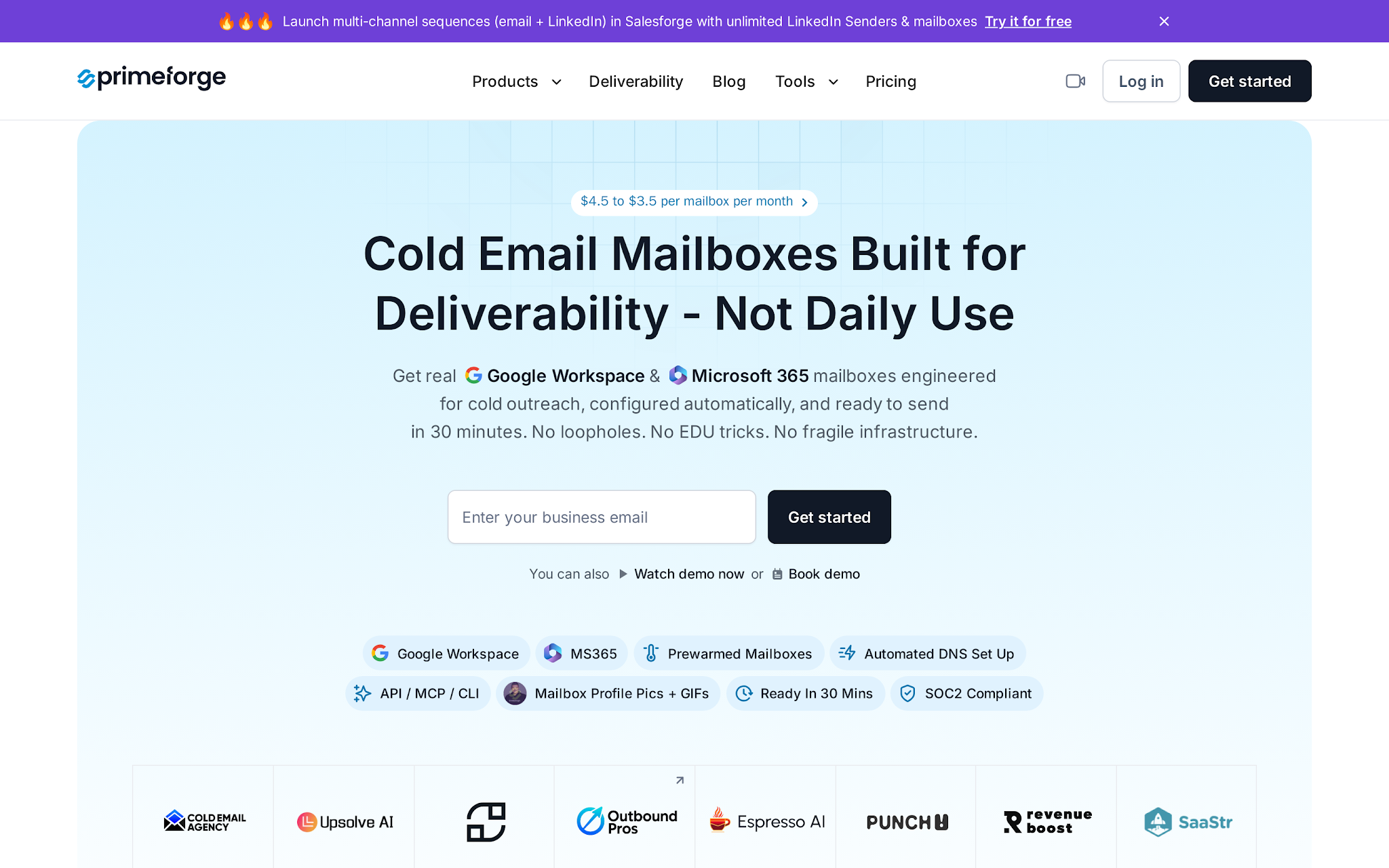
This image shows the Primeforge homepage for Google and Microsoft mailbox infrastructure
I would use Primeforge when the buyer specifically wants Google Workspace or Microsoft 365 mailboxes rather than shared SMTP or private dedicated-IP infrastructure. It handles mailbox setup, DNS records, existing domains, and the handoff into Salesforge.
The split is simple: Mailforge is shared infrastructure, Infraforge is private infrastructure, and Primeforge is the mainstream Google/Microsoft mailbox path.
Key features
Google Workspace and Microsoft 365 mailbox setup
Automated SPF, DKIM, DMARC, and domain configuration
Existing-domain support for teams that do not want generic rented domains
Bulk mailbox creation for outbound operators
Salesforge compatibility for campaign execution after inboxes are ready
Warmup-ready mailbox infrastructure that can connect into mailbox health monitoring
Centralized setup for agencies and RevOps teams managing many inboxes
Pricing
Primeforge starts at $37.50/month for 10 mailboxes, billed quarterly. The pricing scales by mailbox count, so it is easiest to compare Primeforge against the cost of buying and configuring Google Workspace or Microsoft 365 mailboxes yourself, plus the operator time saved on DNS and setup.
Pros
Better than rented inboxes when domain and mailbox control matter.
More portable than Instantly’s pre-warmed account add-on.
Better fit than Zapmail when the team already has a domain strategy.
Narrower than Infraforge, but better when Google or Microsoft mailboxes are the requirement.
Cons
It is not the cheapest option for a tiny short-term test; Mailscale’s 20-inbox rental offer at $99/month can be easier to justify for quick experiments.
It is less bundled than Instantly if you want the account purchase and campaign builder in one interface; Instantly keeps pre-warmed accounts inside its own platform workflow.
Buyers still need a controlled ramp and clean contact data. Pre-warmed infrastructure does not remove the need for sending hygiene: authentication checks, warmup, list quality, bounce control, and reputation monitoring.
Use Primeforge when
You want Google Workspace or Microsoft 365 mailbox infrastructure you can keep building on.
You need an owned-domain setup before connecting mailboxes to Salesforge or another sender.
Avoid Primeforge when
Private dedicated-IP infrastructure is the main requirement.
A cheap rented inbox test is enough.
4. Instantly: Best when pre-warmed accounts must live inside the sending platform
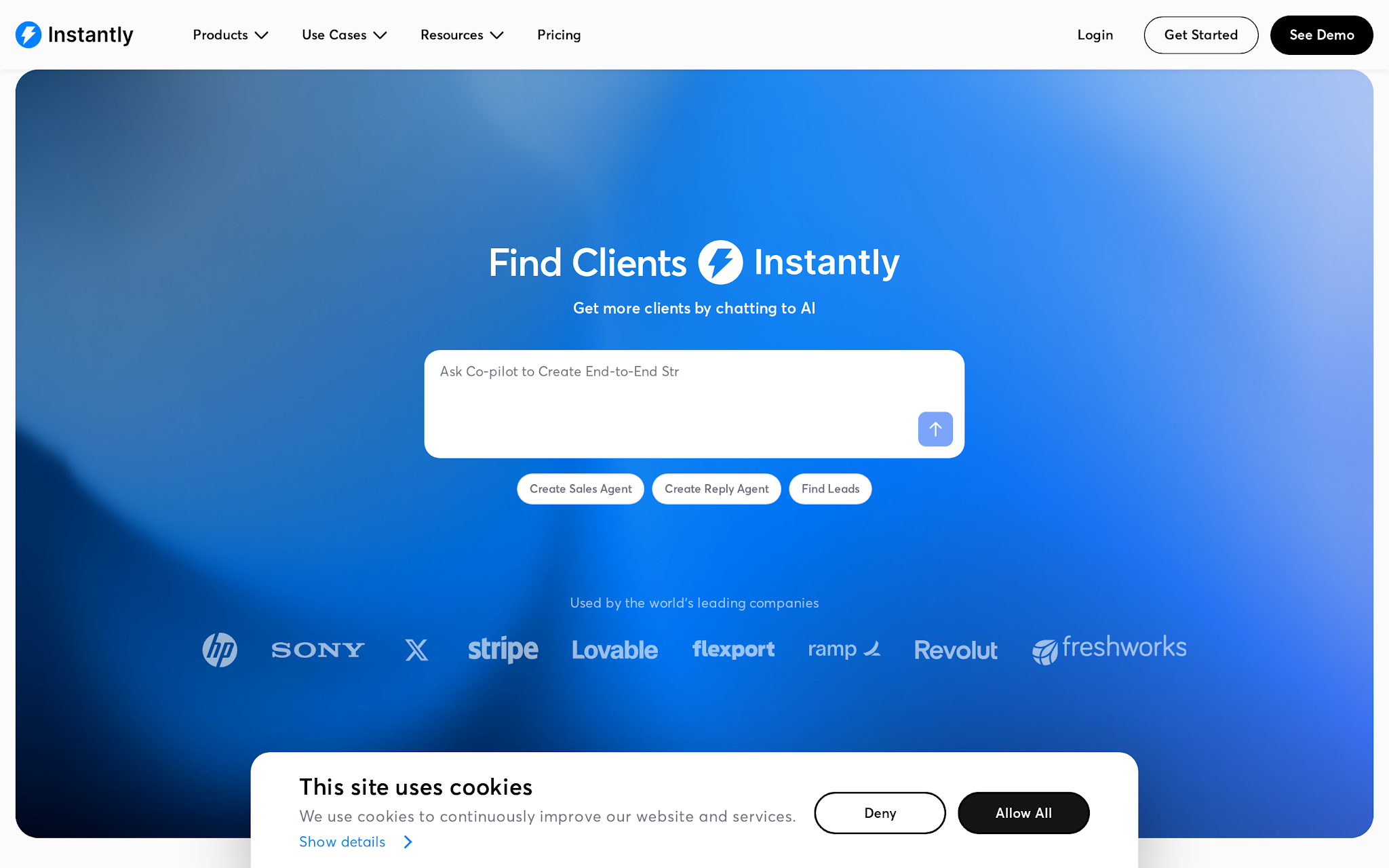
This image shows the Instantly homepage for cold email outreach and pre-warmed accounts
Instantly is the competitor-wins case. If the buyer wants to buy pre-warmed accounts and run campaigns in the same product, Instantly has a clean argument. Its pre-warmed accounts guide says the accounts come in batches of five and are built for Instantly use.
That is convenient, and it is also the tradeoff.
Key features
Pre-warmed Google accounts sold in batches of five
Domain purchase flow tied to pre-warmed account setup
Campaign execution inside Instantly
Warmup and sending available through Instantly plans
Clear setup and ownership limits in the pre-warmed account guide
Built-in account connection to Instantly
Useful for teams that do not want separate infrastructure and sending tools
Pricing
Instantly prices the setup at $15/year per domain and $10/month per pre-warmed account, billed monthly. Campaign execution and warmup still require the right Email Outreach plan, so the account price is only one part of the operating cost.
Pros
Keeps purchase, account connection, warmup, and sending in one workflow.
Useful for teams already running campaigns in Instantly.
Lighter than Maildoso because it does not force a done-for-you campaign package.
Pricing, batch size, ownership, and plan dependency are clear enough to model lock-in before ordering.
Cons
Instantly retains domain ownership and admin access for these accounts, so this is not the right fit if you need portable domain control.
The accounts are configured for Instantly use, which creates platform lock-in compared with Infraforge or Primeforge setups.
Campaign execution requires an Email Outreach plan, so the $10/month account price is not the whole operating cost.
Use Instantly when
Speed and one-platform execution matter more than infrastructure control.
Your team already runs outreach inside Instantly and accepts the domain/admin model.
Avoid Instantly when
Your RevOps team needs to own the admin layer.
You want the account infrastructure to stay portable outside one campaign platform.
5. Zapmail: Best for 12-week pre-warmed Google/Microsoft packs with fast dashboard setup
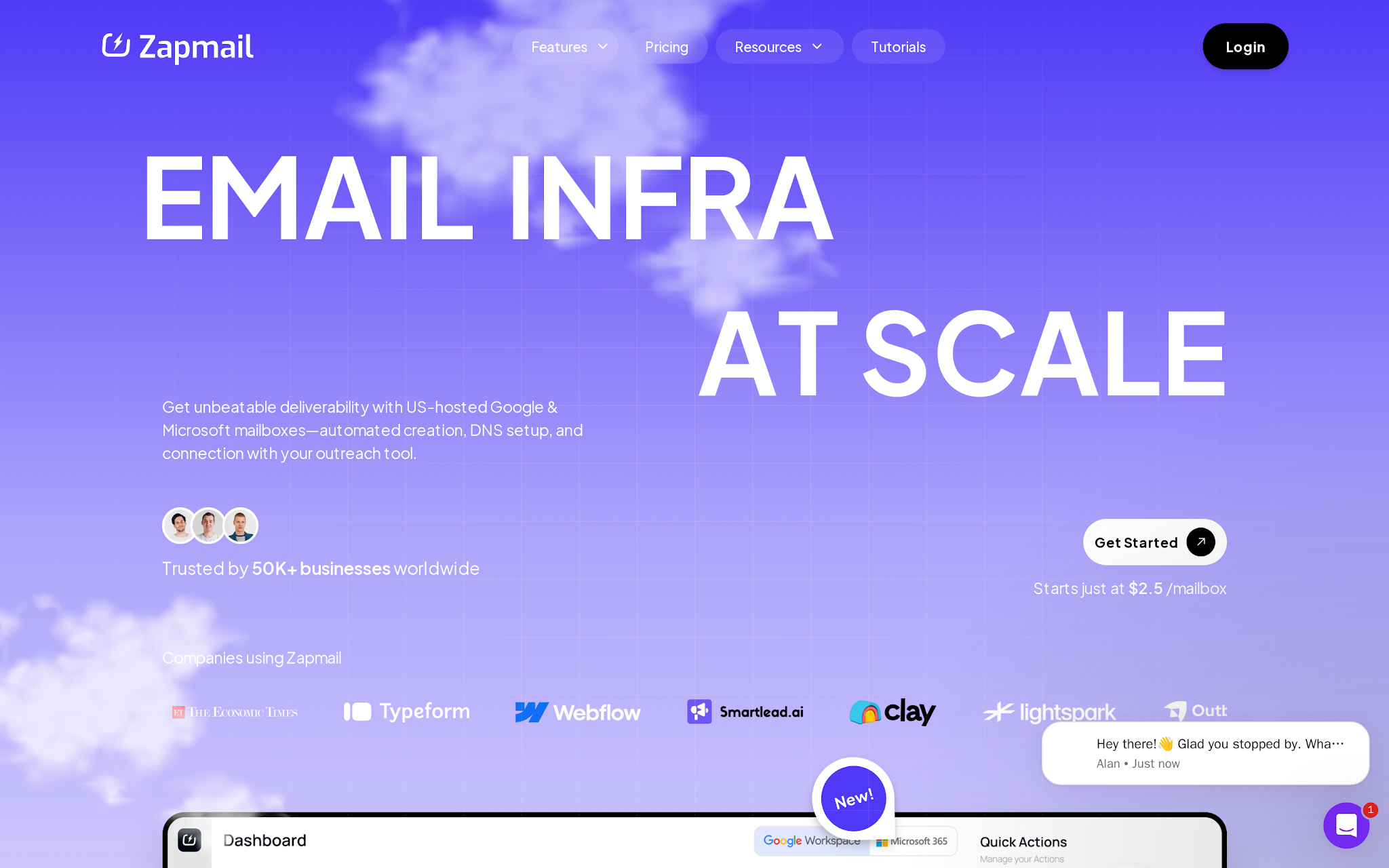
This image shows the Zapmail homepage for pre-warmed mailbox packs
I would treat Zapmail as the middle path between rental inboxes and heavier infrastructure. Its pre-warmed mailbox product claims Google and Microsoft mailboxes warmed for 12+ weeks, with dashboard delivery and OAuth setup.
The biggest limit: Zapmail’s help center says you cannot bring your own custom domain and make it pre-warmed through Zapmail.
Key features
Google and Microsoft pre-warmed mailbox packs
12+ week warmup positioning for pre-warmed mailbox packs
Dashboard delivery and OAuth setup
Generic-domain pre-warmed mailboxes
API-based subscription purchase path
Public help article for pre-warmed mailbox behavior
Useful when buyers want a defined pack size
Pricing
Zapmail’s Starter pack is $39 for the first month and $24 on renewal for 3 mailboxes. Growth is $149 for the first month and $84 on renewal for 12 mailboxes. Pro is $339 for the first month and $180 on renewal for 30 mailboxes. Extra mailbox and domain costs can change the real bill, so calculate the full pack instead of comparing only the first-month price.
Pros
More structured than Mailscale’s rental-style inbox offer
Not tied to one sending platform in the way Instantly’s accounts are.
Faster than Primeforge if generic-domain pre-warmed mailboxes are acceptable.
Product limits are clearer than many providers: generic pre-warmed mailboxes are not the same thing as externally connected accounts.
Cons:
Zapmail does not support bringing a custom domain and making it pre-warmed inside Zapmail, so it is weaker than Primeforge for owned-domain strategy.
Zapmail separates pre-warmed mailboxes from standard or external mailboxes, which matters if you plan to mix account types.
The purchase flow has no-refund language, so buyers should verify the pack, use case, and cancellation terms before paying.
Use Zapmail when:
Speed matters and generic-domain Google/Microsoft packs are acceptable.
You want a defined dashboard-delivered pack instead of building mailbox infrastructure yourself.
Avoid Zapmail when: -
The buyer wants to build a durable owned-domain sending system.
Bring-your-own-domain pre-warmed status is required.
6. Mailscale: Best for low-cost rented generic inboxes for quick campaign tests
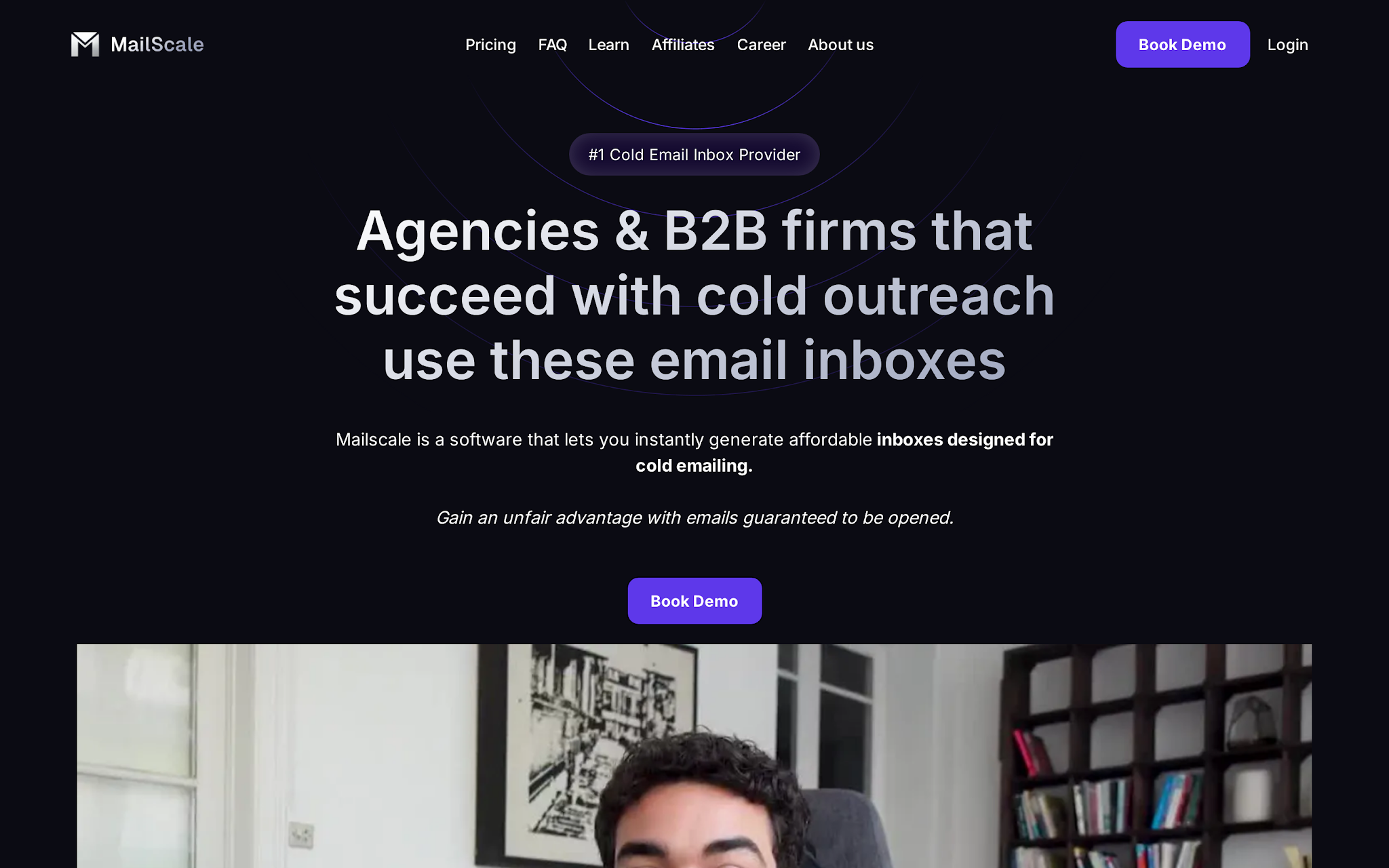
This image shows the Mailscale homepage for rented pre-warmed inboxes
I would use Mailscale only when the buyer understands the rental model. Many teams get into trouble because they think every pre-warmed inbox purchase means they own the domain and mailbox. With Mailscale, the pre-warmed inboxes are rented.
For short tests, that can be fine. For long-term brand infrastructure, it is a problem.
Key features
20 pre-warmed inboxes in the starter offer
Rented generic inboxes and domains
IMAP and SMTP access
Compatibility with common sending tools
Positioned for fast campaign launch
Lower entry price than owned infrastructure paths
Clear description of the pre-warmed offer
Pricing
Mailscale costs $99/month for 20 pre-warmed inboxes. That is attractive for a short test, but the low price comes with the rental tradeoff: the inboxes are not long-term owned sending assets.
Pros
Cheaper than owned infrastructure for a short test where domain ownership does not matter.
Lighter than Maildoso because it does not bundle campaign services.
More flexible than a platform-only account add-on because it provides IMAP/SMTP access.
The rental model is clear, which helps buyers understand the tradeoff before launch.
Cons
Mailscale’s inboxes are rented, so buyers should not treat this as owned infrastructure.
Generic rented domains are weaker for brand control than using owned domains through Primeforge or private infrastructure through Infraforge.
Low price does not prove inbox placement. You still need placement testing and blacklist checks before live campaigns.
Use Mailscale when
You need message-market fit tests on low-cost rented generic inboxes.
Domain ownership is not important for the campaign.
If an agency is managing client pipeline, rented generic inboxes can create awkward questions later: who owns the domain, who keeps the mailbox, and what happens when the campaign ends?
Avoid Mailscale when
You are building a core domain strategy.
The client expects owned sending assets after the test.
7. Warm Inboxes: Best for operator-supported Google/Microsoft/Azure pre-warmed inboxes
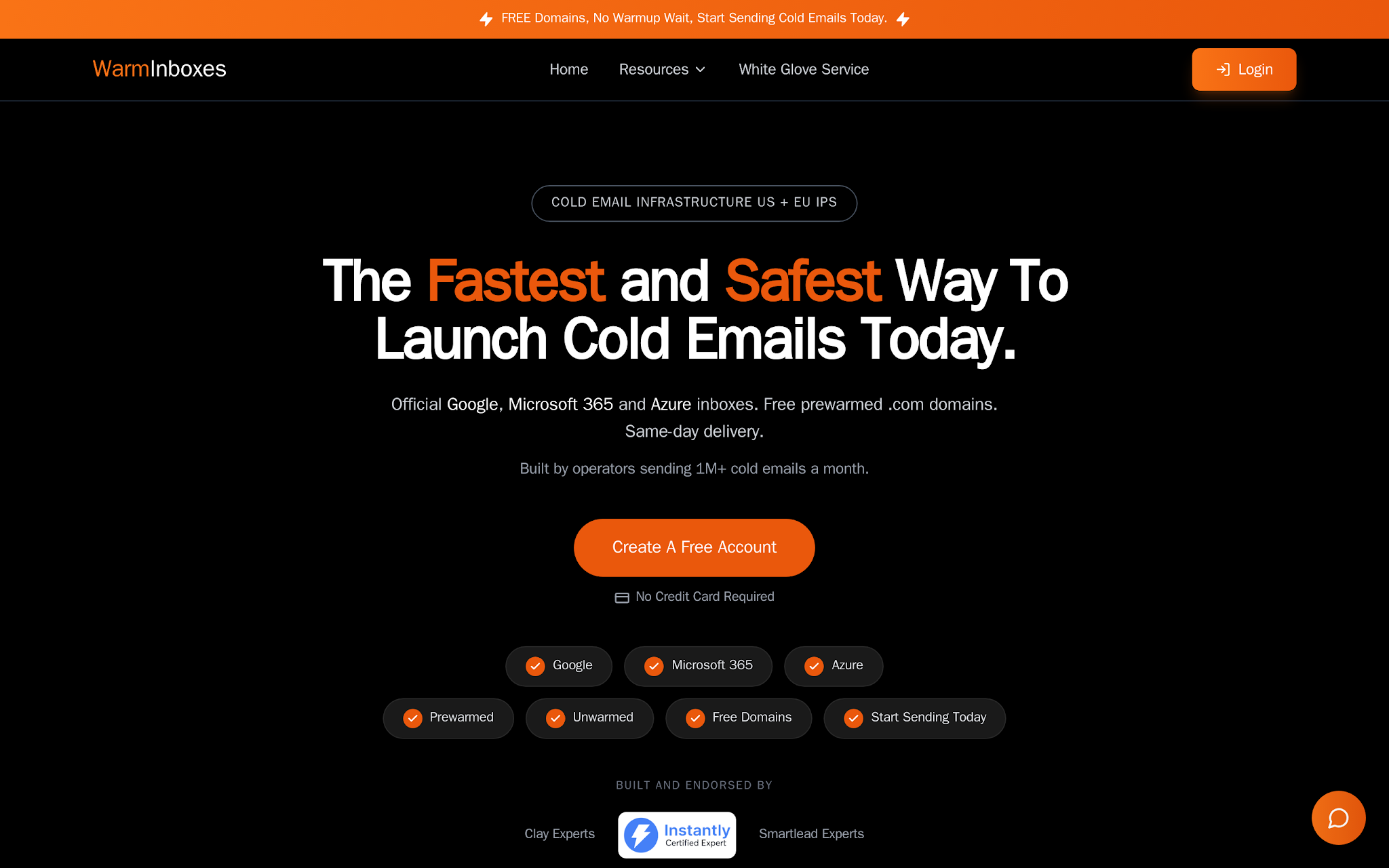
This image shows the Warm Inboxes homepage for pre-warmed inboxes
I would shortlist Warm Inboxes when support matters as much as price. Its pre-warmed inbox page names Google Workspace, Microsoft 365, Azure inboxes, US and EU IPs, authentication setup, and support.
That support angle matters for founders and agencies who do not want to debug DNS. Read the terms carefully because the offer includes a no-refund policy.
Key features
Google Workspace, Microsoft 365, and Azure inbox options
US and EU IP options
SPF, DKIM, and DMARC setup
WhatsApp support
Pre-warmed inbox packs
Low-entry pricing for small tests
Separate unwarmed Google Workspace inbox pricing
Pricing
Warm Inboxes starts at $21/month for 3 pre-warmed inboxes. It also offers Google Workspace unwarmed inboxes from $3/inbox/month and .com domains at $12, which makes it useful for small tests where support matters more than deep infrastructure control.
Pros
Low-cost mailbox-first path instead of a full DFY outbound package.
More support-led than Mailscale’s rental model.
Clear cloud-provider options across Google, Microsoft, and Azure.
Entry price is low enough for a founder to test before scaling.
Cons
Warm Inboxes has a no-refund policy, so the buyer needs to verify fit before purchase.
Public claims about support and setup do not replace an inbox placement test after delivery.
Even though Warm Inboxes says buyers get admin access, verify domain ownership, admin rights, transfer terms, and cancellation terms before ordering.
Use Warm Inboxes when
You want support, low-entry packs, and Google/Microsoft/Azure choice.
A small supported test matters more than deep infrastructure control.
Avoid Warm Inboxes when
Ownership/admin-access terms are unclear for your use case.
You are not comfortable with the no-refund policy.
Ask ownership questions before you scale it.
8. Maildoso: Best for DFY cold email service that includes warmed mailboxes
This image shows the Maildoso homepage for done-for-you cold email service
I would not evaluate Maildoso like a simple inbox marketplace. Its done-for-you offer includes warmed domains and mailboxes, contacts, campaigns, an Instantly account, and a master inbox.
That is a different buying decision. You are buying campaign setup, not just pre-warmed email accounts.
Key features
Done-for-you cold email setup
Warmed domains and mailboxes included in the package
Contacts included
Campaign setup included
Instantly account included
Master inbox included
Better fit for teams without outbound operations capacity
Pricing
Maildoso’s done-for-you packages are $2,499 for the starter package and $3,999 for the larger package. That price only makes sense when you need campaign setup, contacts, and execution help included; it is too heavy if you only need inboxes.
Pros
Takes on campaign setup, not just mailbox delivery.
Useful when the buyer does not have an operator to build the outbound system.
Bundles contacts and campaign setup, which can shorten time to first replies if the offer and ICP are already clear.
Easier to justify when the real bottleneck is execution capacity, not inbox procurement.
Cons
Maildoso is far more expensive than mailbox-only options because it sells a done-for-you campaign package, not just inboxes.
It is not a clean substitute for owned infrastructure.
Teams with strong RevOps capacity may prefer owning the infrastructure and campaign layers themselves.
Use Maildoso when
You need the campaign machine built for you.
Contacts, setup, campaign execution, and warmed mailboxes all need to come in one package.
Avoid Maildoso when
You only need 10 inboxes and already know how to run outbound.
Your team wants to control infrastructure, contacts, copy, and campaign operations internally.
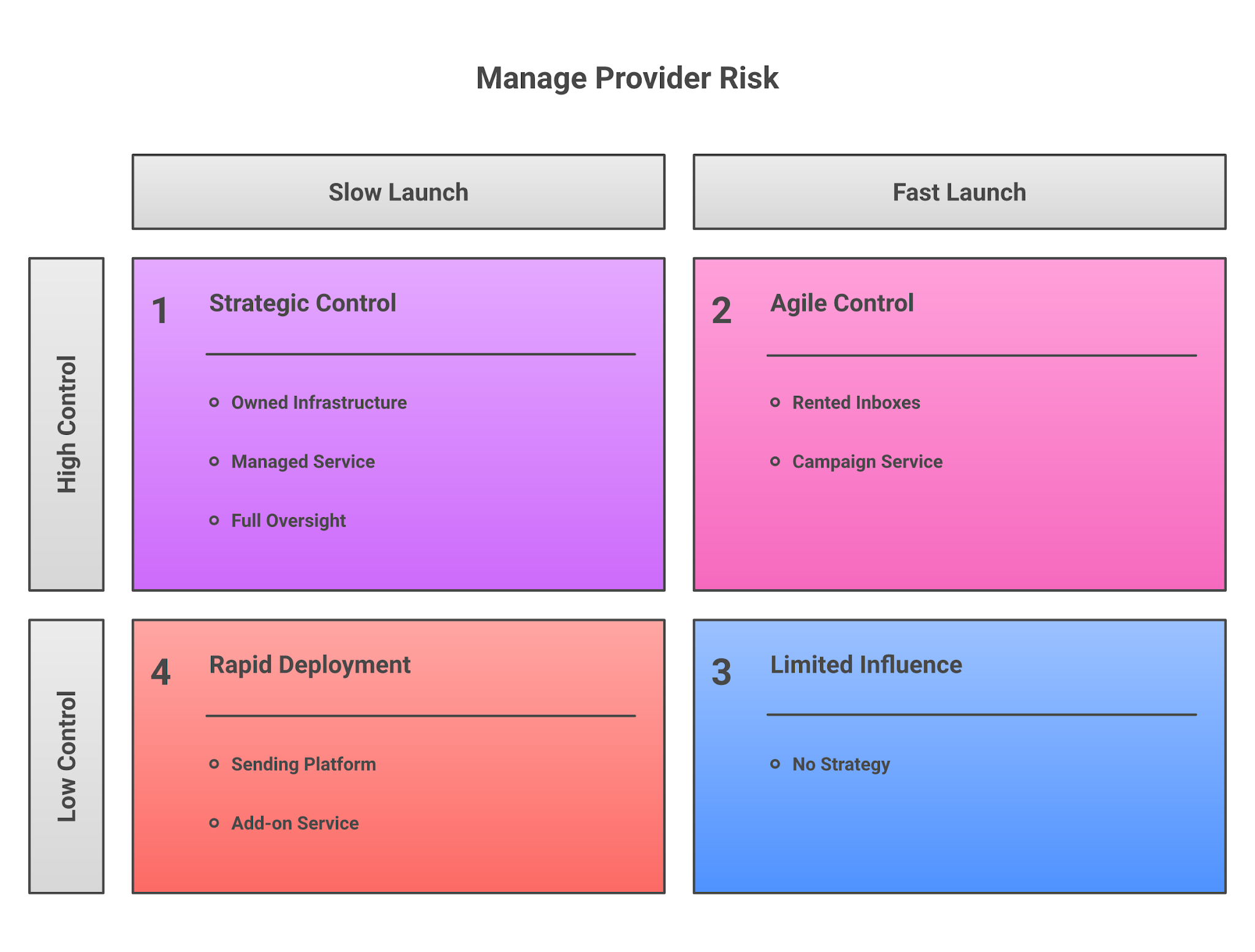
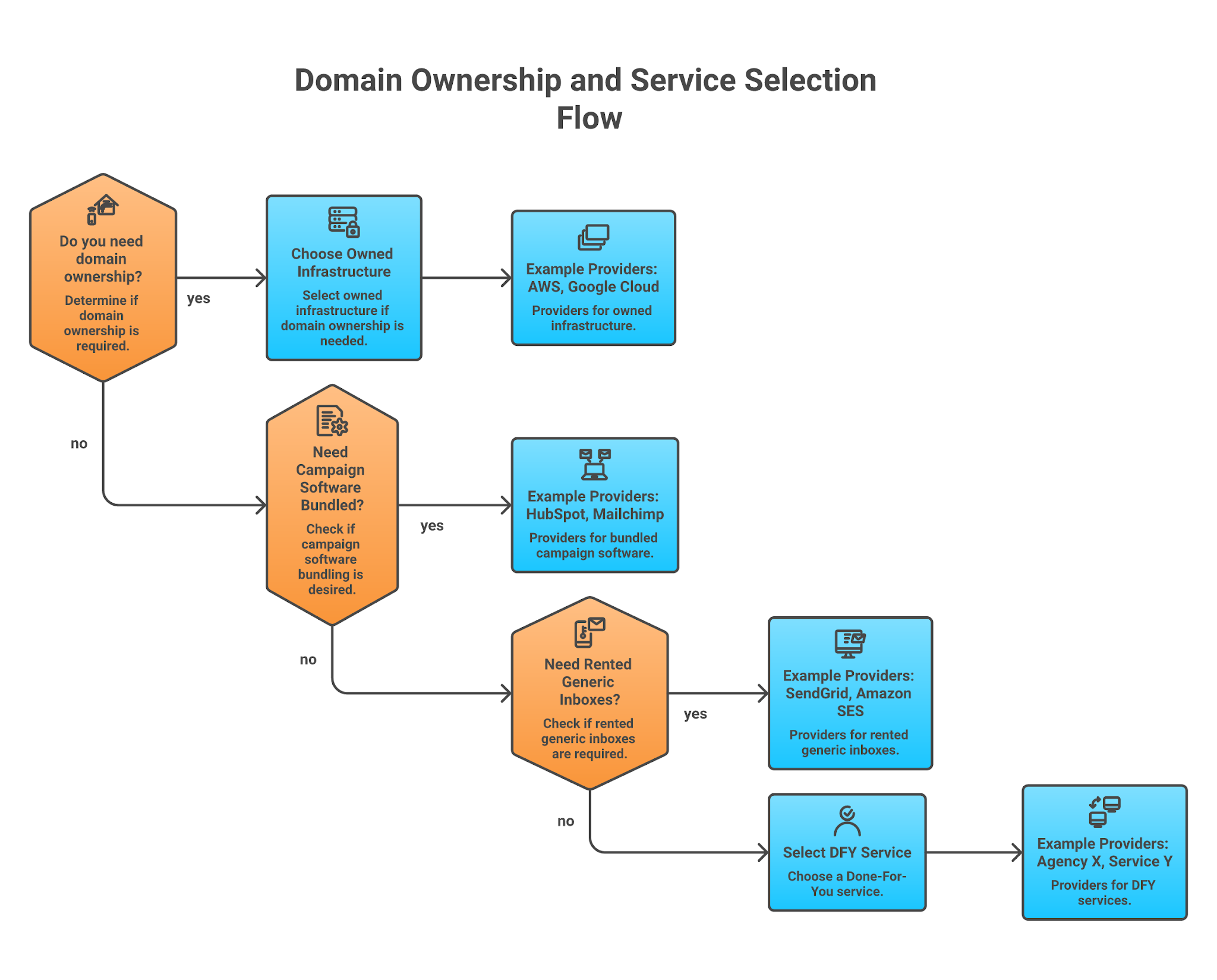
This image shows the Decision path for owned, rented, all-in-one, and managed pre-warmed account models
How to choose: owned mailboxes vs rented pre-warmed inboxes vs all-in-one sending tools
Most bad purchases happen because the buyer treats every pre-warmed account as the same thing.
They are not the same thing. The decision path above maps the four operating models this article compares: owned infrastructure, rented inboxes, all-in-one sending-platform accounts, and managed campaign service.
Owned mailbox infrastructure
Owned infrastructure is the best fit when you want a real outbound system. Domains, inboxes, DNS, warmup, campaign sending, reply management, and pipeline reporting all need to work together.
This is where Mailforge, Infraforge, and Primeforge make sense, depending on the mailbox model.
The tradeoff is cost and setup depth. Owned infrastructure is rarely the absolute fastest checkout.
But it gives you better control over domain strategy, admin access, portability, and long-term sender reputation.
For a RevOps team or agency, that control usually matters more than saving a few dollars per inbox.
Rented generic inboxes
Rented inboxes make sense when the campaign is a test.
Maybe a founder wants to validate a segment. Maybe an agency wants to prove an offer before building dedicated infrastructure. Maybe the team does not care if the domain has no long-term brand value. That is where Mailscale can work.
The risk is obvious: the buyer does not own the asset. If the mailbox gets removed, terms change, or the campaign needs a more brand-aligned domain, the infrastructure does not travel cleanly.
All-in-one sending platform accounts
Instantly is the cleanest example. The upside is operational speed: buy the accounts, connect them to the same platform, run campaigns, monitor inside one place.
The downside is lock-in. Instantly retains domain ownership and admin access for pre-warmed accounts. That is not automatically bad. It is just a real tradeoff.
Use this path when your team values speed and simplicity more than control.
Managed campaign service
Maildoso is the managed-service path. This is not for a team that only needs mailboxes. It is for a team that lacks outbound execution capacity and wants contacts, setup, campaigns, and mailboxes packaged together.
The upside is less internal work. The downside is cost and flexibility.
If your team already has an operator, build the stack yourself. If nobody owns outbound, a service bundle may be easier to justify.
What to check before sending from any pre-warmed email account
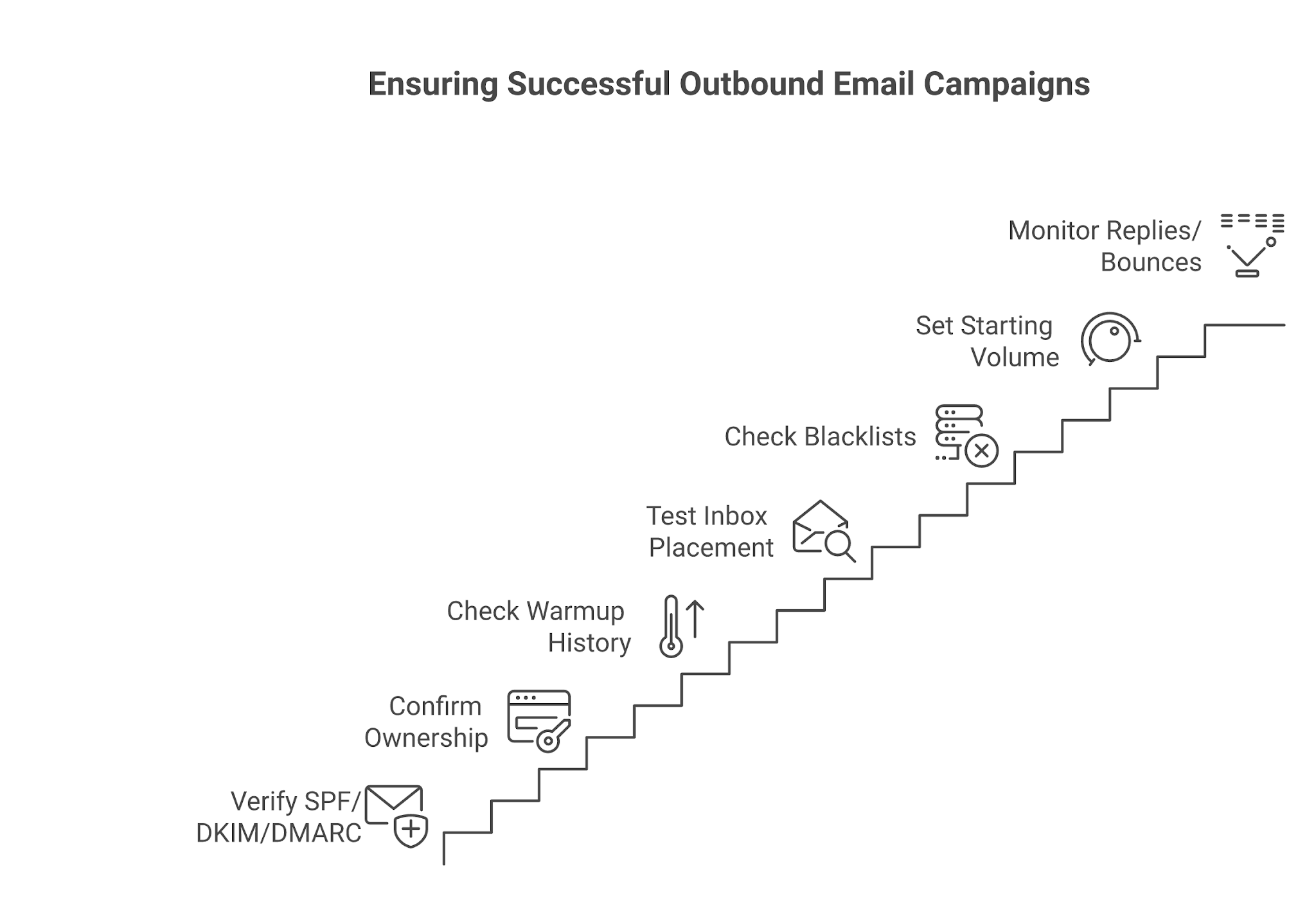
This image shows the Pre-send verification checklist for pre-warmed email accounts before campaign launch
Do not connect the inbox and send 50 emails per day because a vendor called it warm.
Use the checklist above before launch. It keeps the article’s recommendation practical: buy the right account model first, then verify the sending system before volume goes up.
1. Confirm authentication
Check SPF, DKIM, DMARC, MX, forwarding, and tracking-domain alignment before the first campaign. If those records are wrong, the account’s warmup history will not save you.
This is why the provider choice matters: infrastructure first, volume second.
2. Confirm ownership and admin access
Ask who owns the domain, who controls the admin account, and whether you can move the mailbox later.
Instantly is clear that it controls the domain/admin layer for its pre-warmed accounts. Mailscale is clear that its inboxes are rented. If another provider does not answer ownership clearly, ask before buying.
3. Ask for warmup history or placement proof
Warmup claims are easy to write. Placement proof is harder.
Ask whether the provider can show warmup duration, inbox placement checks, blacklist status, or replacement terms. If they cannot explain how the account was warmed, treat the inbox as unproven.
4. Start with low daily volume
Pre-warmed accounts still need conservative sending. Instantly positions pre-warmed accounts for a faster start, but the accounts still sit inside a plan and sending workflow. Zapmail separates pre-warmed mailboxes from standard and external mailboxes.
Warmup, domain reputation, list quality, and sending hygiene remain ongoing work after purchase.
Start small and ramp based on replies, bounces, spam placement, and account health.
5. Verify the contact list
Bad data burns warm accounts. Run verification. Remove catch-all addresses if your risk tolerance is low. Segment contacts by ICP. Do not blast a broad list because the mailbox is warm.
No campaign tool changes the rule: clean contacts before volume.
6. Keep early emails plain
Avoid heavy HTML, multiple links, attachments, and aggressive tracking during the first sends. Plain text and relevant personalization are safer while the mailbox proves itself.
Automation can help with contact research and follow-up coverage, but it cannot replace infrastructure hygiene.
7. Monitor after launch
Watch bounces, replies, spam placement, and account health every day during the first two weeks. If a provider promises “instant sending” but gives no monitoring path, you are accepting reputation risk blindly.
Use mailbox health and placement monitoring before pushing more volume through any sender.
Who should avoid pre-warmed inboxes?
Do not buy pre-warmed inboxes if you do not have verified contacts, a clear ICP, opt-out handling, bounce controls, and a low-volume ramp plan.
Buying warm accounts will not fix bad targeting or spammy copy. It only gives you a starting point that still needs responsible sending.
Personalized Outbound Strategy
Get The Right Outbound Strategy In Minutes
Enter your email to get a custom plan & stack recommendation for your
business
It's being carefully crafted by AI
Please check your mailbox in 5 minutes
Final recommendation: which provider should you choose?
Choose Mailforge for Managed Cold Email Infrastructure
Start with Mailforge if you want domains, mailbox slots, DNS authentication, hosting, and infrastructure management handled before you launch outbound campaigns.
Choose Infraforge for Maximum Infrastructure Control
Choose Infraforge if dedicated IPs, private infrastructure, API access, automated DNS management, and long-term scalability are more important than convenience.
Choose Primeforge for Google Workspace and Microsoft 365 Mailboxes
Choose Primeforge if you want managed Google Workspace or Microsoft 365 inboxes built specifically for cold outreach.
Choose Instantly for an All-in-One Outbound Platform
Choose Instantly if you want mailbox provisioning, warmup, and campaign execution inside a single platform.
Choose Zapmail for Ready-to-Use Pre-Warmed Inboxes
Choose Zapmail if you want pre-warmed Google or Microsoft inboxes that are ready to connect without building your own infrastructure from scratch.
Choose Mailscale for Low-Cost Outbound Testing
Choose Mailscale if you need an inexpensive way to test outbound campaigns before investing in a larger infrastructure setup.
Choose Warm Inboxes for Simplicity and Support
Choose Warm Inboxes if responsive support, straightforward pricing, and easy mailbox provisioning matter more than advanced infrastructure controls.
Choose Maildoso for a Done-for-You Outbound Setup
Choose Maildoso if you want contacts, inboxes, warmup, and campaign management bundled together because your team does not want to manage outbound internally.
If you want owned infrastructure for Salesforge, start with Mailforge, then move to Infraforge or Primeforge when the mailbox model demands it.